
Instagram is one of the world’s most popular social media platforms, allowing users to share photos, videos, Stories, Reels, and messages with friends, followers, and the wider community. However, many beginners do not fully understand how Instagram privacy settings work or how they can control who sees and interacts with their content. Understanding these settings can help you protect your personal information, reduce unwanted interactions, and enjoy Instagram with greater confidence. In this complete guide, we will explain the most important Instagram privacy settings for beginners, including private accounts, followers, tags, mentions, comments, messages, Stories, activity status, and account security.
What Are Instagram Privacy Settings?
Instagram privacy settings are controls that allow you to decide how other people can interact with your account and content. Depending on your account type and available features, you can control who follows you, who can comment on your posts, who can tag or mention you, who can send you message requests, and who can view certain content. These settings are especially useful for people who use Instagram for personal photos, family updates, professional networking, or everyday communication. Instead of leaving every option at its default setting, beginners should review their privacy controls and customize them according to their personal preferences.
How to Access Instagram Privacy Settings
Accessing Instagram privacy settings is simple. Open the Instagram app and visit your profile by tapping your profile picture. Next, tap the three-line menu in the top-right corner and select Settings and privacy. You will find different sections covering privacy, interactions, messages, tags, mentions, Stories, comments, and account security. Instagram occasionally changes the design and location of its settings, so the exact names or positions of some options may vary depending on your app version. If you cannot find a particular option, use the search function inside Instagram’s settings to locate it quickly.
How to Make Your Instagram Account Private
One of the most important Instagram privacy settings for beginners is the Private Account option. When your account is private, people generally need to send you a follow request before they can access the content shared with your followers. You can then decide whether to approve or reject each request. To make your account private, open Settings and privacy, find Account privacy, and turn on the private account option. A private account is usually a good choice for people who use Instagram primarily for personal content and do not want strangers viewing their posts. However, creators, businesses, influencers, and professionals may prefer a public account because it makes their content easier to discover.
Review Your Instagram Followers
Making your account private is only the first step because you should also review who already follows you. Go through your follower list regularly and remove accounts that you do not recognize, no longer trust, or no longer want to have access to your content. Removing someone from your followers is different from blocking them. When you remove a follower, they are no longer following your private account, but they may still be able to find your profile and request to follow you again. Blocking is a stronger privacy action that prevents the person from normally accessing or interacting with your account. Reviewing your followers occasionally is a simple habit that can significantly improve your Instagram privacy.
Control Who Can Tag You on Instagram
Tags can be useful when friends share photos with you, but unwanted tags can expose your username or connect your profile to content you do not want associated with your account. Instagram provides settings that allow you to control who can tag you. Depending on the available options, you can allow tags from everyone, people you follow, or prevent tags completely. Beginners who want more control should consider limiting tags to people they follow. Instagram also offers manual approval for tagged posts, which means tagged content can be reviewed before it appears on your profile. This is particularly helpful if you want to maintain a clean and carefully controlled Instagram profile.
Manage Instagram Mentions
Mentions are another important privacy feature. Someone can mention your Instagram username in a Story, comment, caption, or other content, which can bring attention to your profile. If you do not want strangers mentioning you, Instagram allows you to manage who can use your username in mentions. You can generally choose options such as everyone, people you follow, or no one, depending on the features available to your account. For personal accounts, limiting mentions to people you follow can provide a good balance between privacy and normal social interaction. If you frequently receive spam mentions, you can use stricter settings.
Control Who Can Comment on Your Posts
Comments can increase engagement, but unwanted or offensive comments can negatively affect your Instagram experience. Instagram provides tools that allow you to manage comments and limit unwanted interactions. You can adjust who is allowed to comment and use filtering features to hide certain offensive or unwanted words. If a particular user repeatedly leaves inappropriate comments, Instagram’s privacy and interaction tools can help you reduce their ability to interact with your account. These features are especially valuable for public accounts, creators, and users who receive a large number of comments from people they do not personally know.
Turn Off Instagram Activity Status
Instagram can show other users information about your activity, such as whether you are currently active or were recently active. If you prefer not to let people know when you are online, you can review the Activity Status setting. Turning this feature off can provide an additional layer of privacy and may also reduce pressure to respond immediately to messages. However, privacy settings can work both ways, meaning that disabling your activity status may also prevent you from seeing the activity status of other users. If you value privacy more than knowing when your contacts are online, turning off activity status can be a useful choice.
Protect Your Instagram Stories
Instagram Stories are designed for quick, temporary sharing, but you should still think carefully about who can see them. Instagram provides controls that allow you to manage Story visibility and share certain Stories with a smaller group. The Close Friends feature is particularly useful when you want to share personal updates with selected people instead of your entire follower list. You can create a Close Friends list and use it whenever you want to share something more private. It is also important to avoid revealing sensitive information through Stories, such as your exact home location, private documents, travel plans, or information about your daily routine.
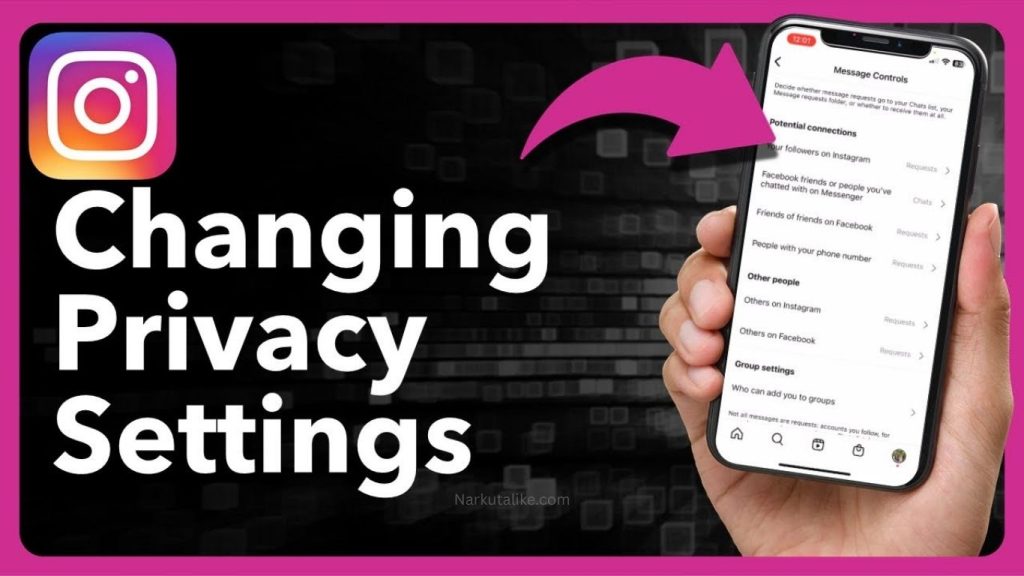
Manage Instagram Message Requests
Direct messages are another area where privacy settings are important. Depending on your account settings, strangers and people you do not follow may be able to send message requests. Instagram provides controls that allow you to manage who can contact you and who can add you to group conversations. If you regularly receive spam, unwanted advertisements, suspicious links, or messages from strangers, review your message controls and adjust them to suit your needs. You should also be careful when opening links sent by unknown accounts because scammers sometimes use social media messages to direct users to fake login pages or malicious websites.
Use Instagram Restrict for Extra Privacy
The Restrict feature is useful when you want to limit someone’s interaction with your account without completely blocking them. Restrict can provide a quieter way to manage unwanted interactions and can be useful when you do not want to take the more noticeable step of blocking someone. It is particularly helpful for dealing with people who repeatedly comment on your posts or send unwanted messages. Instead of immediately blocking every problematic account, you can consider whether Restrict provides the level of control you need.
Use Hidden Words and Comment Filters
Instagram’s Hidden Words and filtering tools can help reduce unwanted comments and message requests. These tools can automatically filter certain words, phrases, spam, or offensive content based on the options available to your account. Users can also add specific words or phrases they do not want appearing in their interactions. This feature can be especially useful for creators and public accounts that receive a large amount of engagement. Rather than manually deleting every unwanted comment, privacy filters can help reduce the amount of content you have to deal with.
Be Careful About Location Sharing
Instagram privacy is not limited to settings inside the app. What you post can also reveal information about your location. Posting your exact home address, real-time location, workplace, hotel, or travel plans can provide strangers with information you may not want them to have. Before uploading a photo or Story, consider whether the background, location information, captions, or other details could reveal where you are. If you are traveling, it can sometimes be safer to share updates after leaving a particular location rather than announcing your exact whereabouts in real time.
Review Your Instagram Profile Information
Your profile itself can reveal a surprising amount of information. Even if you have a private account, you should review your username, display name, profile photo, biography, website link, and other visible information. Avoid adding unnecessary personal information such as your home address, private phone number, personal identification details, or other sensitive information. Think about your Instagram profile as a digital introduction to strangers. Only include information that you are comfortable allowing other people to see.
Enable Two-Factor Authentication
Privacy and account security go hand in hand. If someone gains unauthorized access to your Instagram account, they may be able to view private content, read messages, or change your account settings. For this reason, beginners should enable two-factor authentication, commonly known as 2FA. This adds an additional verification step when someone attempts to log into your account. You should also create a strong and unique password that you do not use on other websites. Never share your password or verification codes with other people, and be suspicious of messages claiming to be from Instagram that request your login information.
Review Connected Apps and Services
If you have connected Instagram to other apps or services, it is a good idea to review those connections occasionally. Remove access from applications that you no longer use or do not recognize. Keeping unnecessary third-party connections active may increase the number of services that can interact with your account information. Regularly checking connected apps is a simple maintenance task that can help you keep better control over your Instagram account.
Public vs Private Instagram Account: Which Is Better?
Choosing between a public and private Instagram account depends on your goals. A private account is generally better for people who want to share personal content with approved followers and have greater control over their audience. A public account, on the other hand, is more suitable for influencers, businesses, creators, artists, and professionals who want to reach new audiences and make their content discoverable. Neither option is automatically better for everyone. The right choice depends on whether your main priority is privacy or visibility.
Common Instagram Privacy Mistakes to Avoid
Many users make simple privacy mistakes without realizing the potential consequences. One common mistake is accepting follower requests from people they do not recognize. Another is sharing real-time locations, personal contact details, or travel plans publicly. Some users also leave tagging, mentioning, and message settings completely unrestricted even when they frequently receive spam. Using the same username and personal information across multiple platforms can also make it easier for strangers to connect different parts of your online identity. The best approach is to share carefully, review your followers, use privacy controls, and avoid responding to suspicious accounts.
Instagram Privacy Settings Checklist for Beginners
If you are new to Instagram, start by reviewing the most important settings instead of changing everything at once. Decide whether you want a public or private account, check your follower list, control who can tag and mention you, review comment settings, manage message requests, configure Story visibility, and consider disabling activity status. You should also use Close Friends for personal Stories, enable two-factor authentication, review connected apps, and avoid publishing unnecessary personal information. Once these basic settings are configured, revisit them occasionally because Instagram can introduce new privacy features or change how existing controls work.
Frequently Asked Questions
How do I make my Instagram account private?
Go to your Instagram profile, open the three-line menu, select Settings and privacy, then find Account privacy and turn on the Private account option. This allows you to approve who can follow you and view content intended for followers.
What happens when I make my Instagram account private?
When your Instagram account is private, people generally need your approval before they can follow you and access your follower-only content. You can also manage existing followers by removing accounts you no longer want to have access to your posts and Stories.
Can people see my Instagram profile if my account is private?
Yes. Some basic profile information, such as your username, profile picture, and bio, may still be visible. Making your account private mainly controls access to your shared content rather than making your entire profile invisible.
How can I control who tags me on Instagram?
Open Settings and privacy and look for the Tags and mentions section. You can adjust who is allowed to tag you and, where available, enable manual approval so tagged posts do not automatically appear on your profile.
Can I stop people from mentioning me on Instagram?
Yes. Instagram provides mention controls that allow you to decide who can mention your username. Depending on the options available to your account, you can allow everyone, people you follow, or no one to mention you.
Conclusion
Understanding Instagram privacy settings gives you greater control over your online presence. From making your account private and managing followers to controlling tags, mentions, comments, Stories, messages, and activity status, Instagram provides many tools that can help you create a safer and more comfortable experience. Beginners do not need to change every setting immediately. Start with the options that matter most to you, enable strong account security, and develop the habit of reviewing your privacy settings regularly. Most importantly, remember that privacy is not only about what settings you select—it is also about what information you choose to share online. With a few simple adjustments and responsible posting habits, you can enjoy Instagram while keeping better control over your personal content and interactions.