
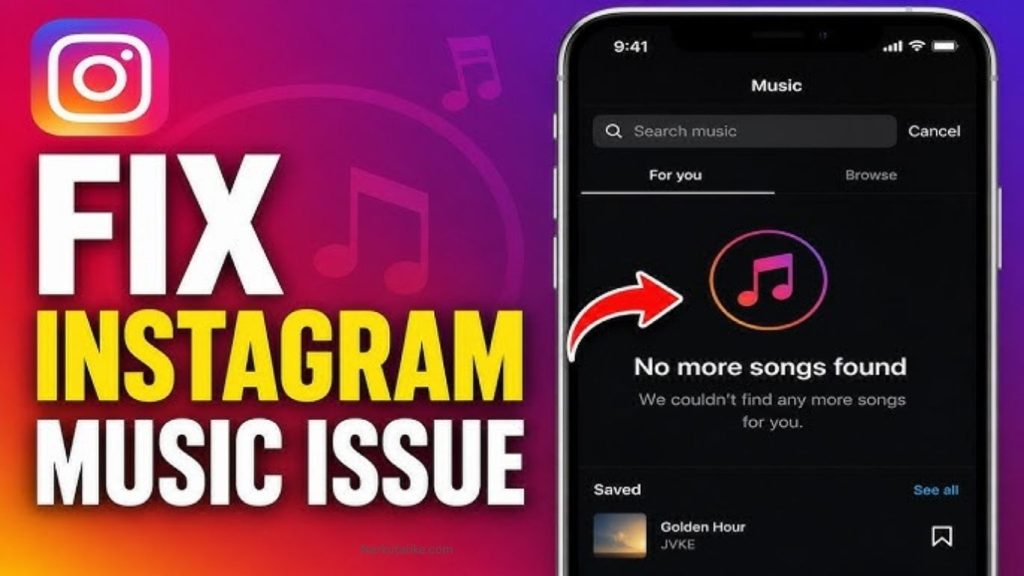
Instagram Music is one of the most popular features that allows users to add trending songs and audio clips to Stories, Reels, and posts. However, many users experience problems where Instagram Music disappears, songs do not appear in search results, or the Music sticker stops working. This issue can happen because of outdated apps, account restrictions, regional limitations, internet problems, or temporary Instagram bugs. Fortunately, there are several ways to fix Instagram Music not working and restore access to your favorite songs.
Why Is Instagram Music Not Working?
There are several reasons why Instagram Music may not work properly on your device. One of the most common causes is music licensing restrictions. Instagram does not provide the same music library in every country because songs depend on agreements between Instagram and music companies. If a specific song is unavailable in your region, it may not appear in the search results.
Another common reason is using a Business account. Instagram Business accounts often have limited access to popular songs because many tracks are not licensed for commercial use. In some cases, switching to a Personal or Creator account can bring back more music options.Technical issues such as outdated Instagram versions, corrupted cache files, poor internet connections, or temporary server problems can also cause the Music feature to disappear.
Update Instagram App to Fix Music Problems
Using an outdated Instagram application can prevent features like Music, Reels audio, and stickers from working correctly. Instagram frequently releases updates to fix bugs and improve performance. Open the Google Play Store on Android or the App Store on iPhone, search for Instagram, and install the latest available update. After updating, restart the app and check whether the Music option is available again.
Check Your Internet Connection
Instagram Music requires a stable internet connection because songs are loaded from Instagram’s online audio library. If your internet connection is slow or unstable, music searches may not load, song previews may fail, or the Music sticker may not open properly.
Try switching between Wi-Fi and mobile data to see if the problem is related to your network. Restarting your router or refreshing your mobile connection can also help solve temporary connection issues.
Clear Instagram Cache on Android
Cached data helps Instagram run faster, but sometimes old or damaged cache files can create problems with app features. Clearing the Instagram cache can refresh the app and fix missing music issues.
Android users can clear the cache by opening phone settings, going to Apps, selecting Instagram, choosing Storage, and tapping Clear Cache. After clearing the cache, reopen Instagram and check if the Music feature is working.iPhone users cannot clear cache directly, but they can reinstall Instagram or use the offload app option to remove unnecessary app data.
Switch Instagram Account Type
Your Instagram account type can affect the availability of music features. Business accounts often have fewer songs because of copyright and commercial licensing rules. If you are using a Business account and cannot find music, switching to a Creator or Personal account may solve the problem.
To change your account type, open Instagram settings, go to Account Type and Tools, and select the option to switch your account. After making the change, restart Instagram and try adding music again.
Restart Instagram and Your Device
Sometimes Instagram Music stops working because of a temporary software glitch. Closing the Instagram app completely and opening it again can refresh the connection between your account and Instagram servers.
If restarting the app does not help, restart your smartphone. A device restart can remove temporary errors and improve app performance.
Log Out and Log Back Into Instagram
Account synchronization problems can sometimes prevent Instagram features from appearing correctly. Logging out and logging back into your account forces Instagram to refresh your account information.
Open Instagram settings, select the logout option, close the app, and sign in again with your account details. After logging in, check whether the Music sticker and audio options have returned.
Reinstall Instagram Application
If Instagram Music is still missing, reinstalling the app can fix deeper technical problems. Uninstall Instagram from your device and download it again from the official app store. A fresh installation removes corrupted files and gives Instagram a clean setup.
Before uninstalling, make sure you remember your login details so you can access your account again without problems.
Disable VPN Connection
Using a VPN can sometimes affect Instagram Music availability because Instagram checks your location for music licensing purposes. If your VPN shows a different country, some songs may disappear or become unavailable.
Disable your VPN, reconnect to your regular internet connection, and restart Instagram to check if the music library returns.
Check Instagram Server Status
Sometimes the problem is not caused by your phone or account. Instagram servers may experience temporary outages that affect features like Stories, Reels, and Music. If many users are facing the same issue, the best solution is to wait until Instagram fixes the problem.
You can also check online outage reports to confirm whether Instagram is experiencing technical difficulties.
Try Using Music Through Instagram Reels
In some situations, Instagram Music may not work in Stories but may still be available in Reels. Open Instagram Reels, tap the audio option, search for your preferred song, and try creating content from there.
Instagram sometimes provides different music availability depending on the feature you are using, so checking multiple sections of the app can help.
Report Instagram Music Problem
If you have tried all solutions and Instagram Music is still missing, you should report the issue directly to Instagram. Open Instagram settings, go to Help, and choose Report a Problem. Explain that the Music feature is not working and provide screenshots if possible.Instagram support may review your account and help fix technical issues affecting the feature.
Frequently Asked Questions
Why is my Instagram Music sticker missing?
The Instagram Music sticker may disappear because of regional restrictions, account type limitations, outdated apps, or temporary bugs. Updating Instagram and checking account settings can often solve the problem.
Why can’t I find popular songs on Instagram Music?
Popular songs may not appear because they are unavailable in your country, restricted for your account type, or removed due to copyright licensing changes.
Does Instagram Music work on Business accounts?
Instagram Music works on some Business accounts, but many popular songs may be restricted due to commercial licensing rules. Switching to a Creator or Personal account can provide more music options.
How can I fix Instagram Music not working on iPhone?
Update Instagram, restart your device, check your internet connection, reinstall the app, and make sure your account has access to Instagram Music.
Why does Instagram say music is not available in my region?
This message appears when Instagram does not have permission to provide certain songs in your location because of music licensing restrictions.
Conclusion
Instagram Music not working can be caused by many different reasons, including app problems, account settings, location restrictions, or internet issues. Updating Instagram, clearing cache, changing account type, reinstalling the app, and checking your connection are some of the most effective solutions.Although some music limitations cannot be removed because of licensing rules, following these troubleshooting methods can help restore Instagram Music and allow you to enjoy songs on Stories, Reels, and posts again.