
Instagram has become an important part of everyday communication, entertainment, and content sharing, but protecting your personal information on the platform is equally important. Your profile details, photos, Stories, followers, messages, location information, and online activity can reveal more about you than you may realize. Fortunately, Instagram offers several privacy and security features that allow users to control who can view their content, contact them, tag them, or interact with their account. In this guide, we explain how to protect your privacy on Instagram with essential settings and practical tips that can help you maintain better control over your personal information.
Why Instagram Privacy Matters
Instagram privacy matters because social media profiles can contain a large amount of personal information. Even when you do not directly publish sensitive details, your photos, captions, Stories, comments, followers, and tagged posts can reveal information about your lifestyle, location, workplace, school, friends, and daily routine. Privacy settings allow you to decide who can access your content and interact with your account. By reviewing these settings regularly, you can reduce unwanted messages, spam, fake accounts, unwanted tags, and other privacy concerns. Good privacy practices are especially important if you frequently share photos from your home, workplace, school, vacations, or other locations.
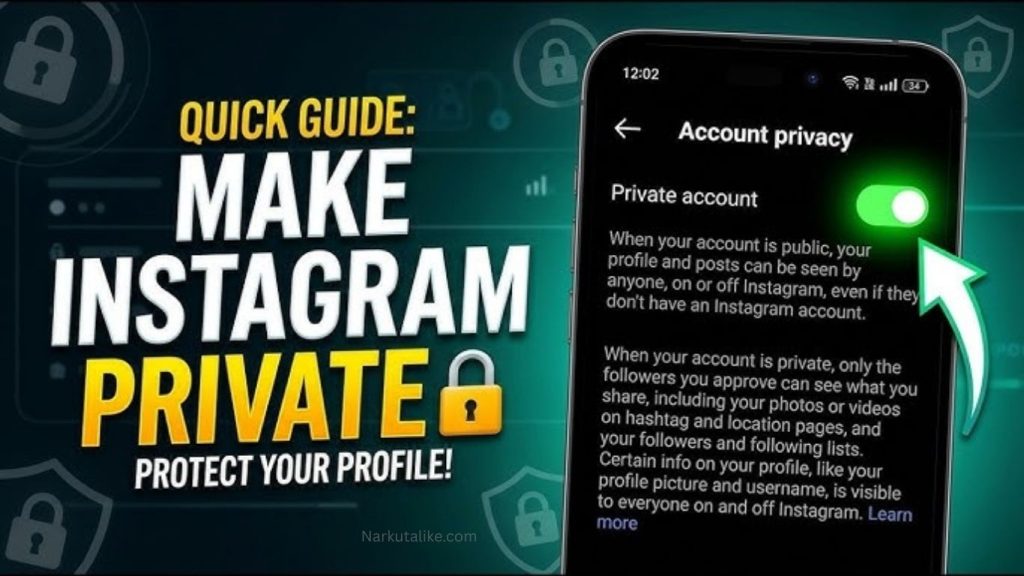
Make Your Instagram Account Private
One of the easiest ways to improve your Instagram privacy is to switch your account from public to private. A private Instagram account gives you greater control over who can follow you and view your content. When your account is private, people generally need to send you a follow request before they can access your posts and Stories. To change this setting, open Instagram, go to your profile, open the menu, select Settings and privacy, and look for the account privacy option. Turning on a private account is especially useful for people who use Instagram mainly to communicate with friends and family rather than reach a public audience. However, remember that a private account does not mean complete anonymity, so you should still be careful about the information displayed on your profile.
Review Your Instagram Followers
Making your account private is only one part of protecting your privacy. You should also regularly review your follower list and remove accounts that you do not recognize or no longer want to have access to your content. Be cautious when accepting requests from accounts with suspicious usernames, very little profile information, unusual activity, or no genuine connection to you. Fake accounts may sometimes pretend to be friends, celebrities, companies, or other familiar people. If someone asks for your password, security code, money, or other sensitive information, avoid responding and consider blocking or reporting the account. Regularly checking your followers is a simple way to maintain control over who can see your Instagram content.
Control Who Can Message You
Instagram provides several options for controlling who can send you messages and message requests. If you receive frequent spam or unwanted messages, review the Messages and story replies settings under Instagram’s privacy options. Depending on your account and Instagram’s current features, you may be able to control message requests from different categories of users. Limiting unwanted contacts can make your account more private and reduce exposure to scams or harassment. You should also avoid clicking suspicious links received through direct messages because scammers often use fake offers, account warnings, giveaways, or verification requests to trick users into revealing personal information.
Manage Tags and Mentions
Tags and mentions are another important part of Instagram privacy. Other users may mention your username in comments or Stories or tag your account in photos and videos. Instagram allows you to manage who can mention or tag you through the Tags and mentions settings. If you want greater privacy, consider limiting these options to people you know and trust. You can also use available controls to review tagged content before it appears on your profile. Managing tags and mentions can prevent unwanted content from being connected to your account without your knowledge and gives you greater control over your online presence.
Protect Your Instagram Stories
Instagram Stories are temporary, but you should not assume that everything posted there is completely private. Other people may take screenshots, screen recordings, or save information before a Story disappears. Instagram offers different ways to control your Story audience, including options such as Close Friends for sharing personal updates with a smaller group. Before uploading a Story, think about whether it reveals sensitive information such as your home, workplace, school, travel plans, personal documents, or current location. Sharing fewer details in real time can reduce privacy and safety risks, particularly when your account has a large audience.
Be Careful With Location Information
Location information can unintentionally reveal where you live, work, study, or spend your time. Avoid publicly sharing your exact location in real time, especially if your account is public. Be careful when using location stickers or adding locations to posts and Stories. You should also review Instagram’s location permissions in your phone’s settings and choose an option that matches your privacy preferences. If continuous location access is unnecessary, consider limiting the permission according to the options available on your device. Before sharing a location, ask yourself whether it is really necessary and whether revealing it could create an unwanted privacy risk.
Enable Two-Factor Authentication
Two-factor authentication, commonly known as 2FA, is one of the most important security features you can enable on Instagram. It adds an additional verification step when someone attempts to log into your account from an unfamiliar device. Depending on the options available, Instagram may support methods such as authentication apps or text messages. You can find two-factor authentication through Instagram’s account and security settings. Enabling 2FA can provide an important additional layer of protection even if your password is compromised. Never share your authentication codes with anyone, even if they claim to be an Instagram employee or representative.
Use a Strong and Unique Password
A strong password is essential for protecting your Instagram account. Your password should be unique and should not be reused on other websites or apps. Avoid using easily guessed information such as your name, birthday, phone number, or common words. Reusing the same password across multiple services can create additional risks because if another website suffers a data breach, attackers may try the same credentials on Instagram. A long and unique password is much safer, and a reputable password manager can help you generate and store different passwords without requiring you to memorize all of them.
Check Instagram Login Activity
Regularly checking your Instagram login activity can help you identify suspicious access. Instagram provides security tools that allow you to review devices and sessions associated with your account. If you notice a device or login location that you do not recognize, investigate it immediately. If you believe someone else has accessed your account, change your password and enable two-factor authentication. You should also review your account settings and remove any unfamiliar access where possible. Checking login activity occasionally is a simple habit that can help detect unauthorized access before it causes greater problems.
Restrict or Block Suspicious Accounts
Instagram provides several tools for dealing with unwanted users, including Restrict and Block. Restricting someone can reduce their ability to interact with you without using the stronger action of blocking them, while blocking prevents an account from interacting with you through the normal Instagram experience. These features can be useful if someone repeatedly sends unwanted messages, posts inappropriate comments, harasses you, or behaves suspiciously. You are not required to interact with every account that contacts you. Using Instagram’s privacy controls can help you maintain healthier boundaries and reduce unwanted interactions.
Control Instagram Comments
Comments can expose users to spam, offensive language, harassment, and unwanted interactions. Instagram provides comment-management features that allow you to control who can comment on your posts and filter certain unwanted content. If your account receives frequent spam or abusive comments, review your comment settings and use the available filtering tools. These controls are particularly useful for public accounts or profiles with a large audience. Managing comments not only improves your privacy but can also make your profile more comfortable and safer for you and other users.
Review Third-Party Apps and Websites
Third-party applications and websites can sometimes request access to your Instagram account. While some services may be legitimate, you should avoid giving account access to applications that you do not trust or no longer use. Review the apps and websites connected to your Instagram account through the relevant account settings and remove access where appropriate. Before connecting an external service, check what permissions it requests and consider whether you actually need the service. Most importantly, never provide your Instagram password directly to an unfamiliar website, app, or person claiming that they need it for verification.
Limit Personal Information on Your Instagram Profile
Your Instagram profile may be visible to a wide audience depending on your account settings, so avoid displaying unnecessary personal information. Think carefully before adding your personal phone number, home address, private email address, workplace details, school information, or other identifying information to your profile. If you use Instagram for business purposes, consider using a dedicated business email address rather than exposing personal contact details. Limiting unnecessary information makes it more difficult for strangers or scammers to build a detailed profile about you.
Think Carefully Before Posting
Privacy settings cannot completely protect information that you voluntarily share online. Before posting a photo, video, Reel, Story, or caption, consider what information it reveals. Check backgrounds for house numbers, documents, computer screens, vehicle registration information, school details, workplace information, or other identifying details. You should also remember that other people can save, screenshot, or record your content before you delete it. For this reason, it is better to think carefully before posting sensitive information rather than relying entirely on Instagram’s privacy features.
Keep Instagram and Your Device Updated
Keeping Instagram and your smartphone updated is another useful security practice. App updates may include important security improvements, bug fixes, and privacy-related changes. Install Instagram updates through your device’s official app store and keep your phone’s operating system updated as well. You should also protect your phone with a strong passcode, fingerprint, Face ID, or another suitable security feature. Securing the device itself is important because anyone who gains access to an unlocked phone may potentially access Instagram and other personal accounts.
Instagram Privacy Checklist
A regular Instagram privacy check can help you stay protected. Review whether your account should be private, check your follower list, manage tags and mentions, control message requests, review Story settings, limit location sharing, and enable two-factor authentication. You should also use a unique password, check login activity, review connected third-party apps, manage comments, and use the Restrict or Block features when necessary. Finally, review the information displayed in your bio and think carefully before posting anything that could reveal sensitive details about your personal life.
Common Instagram Privacy Mistakes to Avoid
One common mistake is assuming that a private Instagram account makes everything completely confidential. Approved followers can still screenshot or share your content, so you should always consider the possibility that anything you post could be copied. Another mistake is accepting every follow request without checking the account behind it. Reusing passwords, clicking suspicious links, sharing verification codes, giving unknown apps account access, and publicly revealing your real-time location are other privacy mistakes that should be avoided. Maintaining good privacy requires both appropriate settings and responsible social media habits.
Frequently Asked Questions
How can I make my Instagram account more private?
You can make Instagram more private by switching to a private account, reviewing your followers, limiting messages, controlling tags and mentions, restricting comments, and using Close Friends for personal Stories. You should also avoid sharing sensitive personal or location information publicly.
What is the best Instagram privacy setting?
There is no single setting that provides complete privacy. However, using a private account, enabling two-factor authentication, controlling tags and mentions, limiting message requests, and regularly reviewing followers are among the most useful privacy and security measures.
Can people see my Instagram posts if my account is private?
Generally, only approved followers can view content that is restricted to followers on a private account. However, approved followers can still potentially screenshot or share your content, so you should remain careful about what you post.
How do I stop strangers from messaging me on Instagram?
Go to Instagram’s privacy settings and review the Messages and story replies options. Depending on the features available to your account, you can adjust who can send message requests and interact with you.
Should I enable two-factor authentication on Instagram?
Yes. Two-factor authentication provides an additional layer of security for your Instagram account. It can help protect your account if someone obtains or guesses your password.
Conclusion
Protecting your privacy on Instagram does not require advanced technical knowledge. By making your account private when appropriate, reviewing followers, controlling messages, managing tags and mentions, limiting location information, protecting Stories, and enabling two-factor authentication, you can significantly improve your account’s privacy and security. It is also important to use a strong password, review login activity, remove unnecessary third-party access, and avoid sharing sensitive information. Instagram regularly updates its features and settings, so make a habit of reviewing your privacy options from time to time. Ultimately, the best way to protect your privacy on Instagram is to combine strong account settings with careful and responsible sharing habits.