
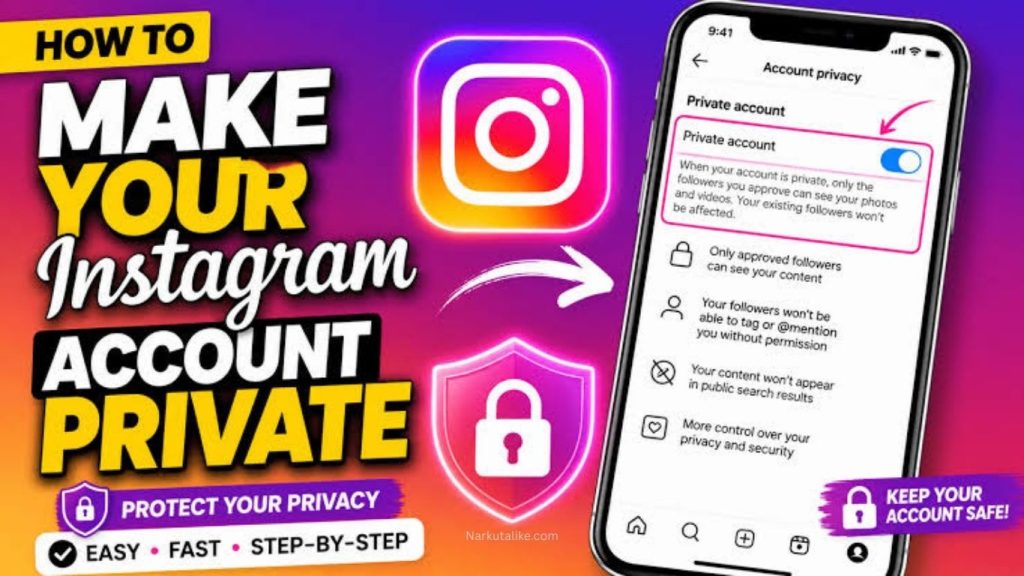
Instagram is one of the most popular social media platforms for sharing photos, videos, Stories, Reels, and personal updates with friends, family, and followers. However, not everyone wants their content to be visible to the entire Instagram community. If you prefer more control over who can view your posts and interact with your profile, making your Instagram account private is a simple and effective solution. A private Instagram account allows you to approve followers before they can see your shared content, giving you greater control over your online privacy. In this guide, you will learn how to make your Instagram account private on Android, iPhone, and other devices, what happens after you switch to a private account, and how private accounts affect followers, Stories, Reels, tags, mentions, and existing content.
What Does a Private Instagram Account Mean?
A private Instagram account limits access to most of your profile content to people you have approved as followers. When your account is private, people who are not following you cannot normally see your posts, Stories, Reels, or other shared content. They may still be able to see basic profile information such as your profile picture, username, and bio, depending on Instagram’s current features and settings. Anyone who wants to follow your private account must send a follow request, which you can accept or decline. This gives you more control over your audience and can be especially useful if you use Instagram primarily for personal communication rather than public content creation.
Why Should You Make Your Instagram Account Private?
There are several reasons why someone may want to make an Instagram account private. Privacy is the biggest reason because a private account reduces the number of people who can access your personal photos, videos, Stories, and Reels. It can also help you avoid unwanted followers and make it easier to control who interacts with your content. A private account can be useful for people who share family moments, personal experiences, travel memories, school or workplace updates, or other content intended for people they know. Although making your account private does not make you completely anonymous on Instagram, it provides an additional layer of control over who can see most of what you post.
How to Make Your Instagram Account Private on Android
Making your Instagram account private on an Android phone is straightforward. Open the Instagram app and log in to the account you want to change. Tap your profile picture in the bottom-right corner to open your profile, then tap the menu icon in the top-right corner. From the settings area, look for the privacy options and open the account privacy section. You should see an option related to a private account. Turn on the private-account setting and confirm your choice if Instagram asks you to do so. Once the change is applied, your account will become private and people who are not already approved followers will need to send a follow request before they can access your private content.
How to Make Your Instagram Account Private on iPhone
The process for making an Instagram account private on an iPhone is very similar to the Android process. Start by opening the Instagram application and going to your profile. Tap the menu button in the upper-right corner to access Instagram’s settings and privacy area. Find the privacy section and open the account privacy settings. Turn on the option that allows you to make your account private, then confirm the change when prompted. After this setting is enabled, new people will generally need your approval before they can follow you and view the content that is restricted to followers. Instagram occasionally changes the appearance or location of settings, so the exact wording or menu arrangement may differ slightly between app versions.
How to Make Your Instagram Account Private From the Instagram App
The Instagram app provides the easiest way to control account privacy because most privacy settings are available directly from your profile. After opening Instagram, go to your profile and access the menu in the top-right corner. Select the settings and privacy area and locate the account privacy section. From there, enable the private account option. Instagram may display information explaining what changes when your account becomes private. Review the message and confirm your choice. After the change is completed, your account will operate as a private profile, meaning people who are not approved followers will have restricted access to your Instagram content.
Can You Make a Professional Instagram Account Private?
Instagram’s account types can affect whether you can use certain privacy settings. Professional accounts, including business and creator accounts, are designed primarily for public-facing activities and may have different privacy options from personal accounts. If the private-account option is not available on your professional profile, you may need to switch to a personal account before making it private. You can check your account type through Instagram’s settings and account-management options. Because Instagram regularly updates its menus and account features, the exact location of the option may change. If privacy is more important to you than professional tools such as certain insights or business features, using a personal private account may be a better choice.
What Happens After You Make Your Instagram Account Private?
When you switch your Instagram account to private, Instagram changes who can access your restricted content. Your approved followers can continue viewing the posts, Stories, and other content that private-account settings protect. People who are not approved followers generally cannot view your private posts and Stories. New people who want to follow you will need to send a request, and you can decide whether to approve or reject it. Your profile can still appear in Instagram searches and other areas of the platform, so a private account should not be considered completely invisible. The main benefit is that you have more control over who can access the content you share.
What Happens to Your Existing Followers?
Making your Instagram account private does not automatically remove the followers you already have. People who were already following you generally remain followers unless you manually remove them. This is important because switching to a private account does not automatically guarantee that every existing follower is someone you still want to share content with. If there are people you no longer want to have access to your private posts or Stories, you can review your followers and remove unwanted accounts. Instagram generally does not send a notification to someone simply because you remove them as a follower, although they may notice that they no longer follow you.
Can You Remove Followers From a Private Instagram Account?
Yes, private-account users can review their followers and remove accounts they no longer want to have connected to their profile. This can be useful when you have previously accepted someone but later decide that you do not want them viewing your content. Open your Instagram profile and access your followers list, find the account you want to remove, and use the available removal option. Removing a follower is different from blocking the person because blocking prevents the account from interacting with or accessing your profile in the normal way. If you simply want to control who follows you, removing a follower may be the more appropriate option.
Can People See Your Instagram Stories if Your Account Is Private?
Your Instagram Stories are generally visible to the followers you have approved when your account is private. People who are not approved followers cannot normally view your private Stories. However, privacy settings for Stories can provide additional control, allowing you to manage who can see specific Stories through features such as Close Friends and Story privacy controls. This means you can combine a private account with additional audience controls if you want to limit certain content even further. It is always a good idea to review your Story settings if you regularly share personal information or content with a limited group of people.
Can People Share Your Posts From a Private Instagram Account?
Private-account restrictions affect how other people can access and share your content. Your posts are primarily available to your approved followers, rather than the entire Instagram community. Instagram also has separate controls for sharing, messaging, mentions, tags, and other interactions. Because these features can change as Instagram updates its platform, it is worth reviewing your privacy settings regularly rather than relying only on the private-account option. A private account provides stronger audience control, but it should not be treated as a guarantee that anything you post can never be copied, captured, or shared by someone who has access to it.
What About Instagram Reels on a Private Account?
Reels posted from a private Instagram account are subject to the privacy restrictions associated with the account. Your approved followers can generally view your Reels, while people who are not approved followers have limited access to private content. This is particularly important for users who create personal Reels rather than public entertainment or promotional content. If you want maximum control over your audience, making your account private can be a useful option. Before posting sensitive material, however, remember that approved followers can still record or capture content using their devices.
Does a Private Account Hide Your Profile Completely?
No, making your Instagram account private does not necessarily make your entire profile invisible. People may still be able to find your username and see certain basic profile information. Your profile picture, username, and bio can help people identify your account, depending on Instagram’s current privacy and discovery features. The private setting mainly controls access to the content you share with followers. Therefore, if you want stronger privacy, you should also avoid putting sensitive personal information in your bio, username, profile picture, or other publicly visible areas of your account.
How to Make Your Instagram Account Public Again
If you change your mind later, you can switch your account back to public through Instagram’s privacy settings. Open your profile, access the settings and privacy section, find account privacy, and turn off the private-account option. Instagram may ask you to confirm that you want to make the account public. Once the account becomes public, your content may become accessible to a much wider audience, depending on the specific settings and content involved. Before switching back, consider whether you are comfortable with people outside your current follower list viewing your posts, Stories, and Reels.
Private Instagram Account vs Public Instagram Account
The biggest difference between private and public Instagram accounts is control over the audience. A public account allows people to discover and view much of your content without first receiving your approval, making it useful for influencers, brands, creators, businesses, and users who want to reach a large audience. A private account gives you greater control because people generally need to become approved followers before accessing your restricted content. If your primary goal is growth, visibility, and reaching new audiences, a public account may be more suitable. If your priority is personal privacy and controlling who sees your content, a private account is usually the better choice.
Tips for Improving Instagram Privacy
Making your Instagram account private is only one part of protecting your privacy. You should also review who can message you, mention you, tag you, or interact with your content. Avoid sharing sensitive information such as your home address, phone number, financial details, passwords, or other private information through posts and Stories. Use a strong and unique password for your Instagram account and enable two-factor authentication for additional account security. You should also regularly review your followers and remove accounts that you do not recognize or trust. These additional steps can help create a safer and more controlled Instagram experience.
Common Problems When Making an Instagram Account Private
Sometimes users cannot immediately find the private-account option because Instagram changes its interface or because their account type has different settings. In other cases, the app may not display the newest settings because it has not been updated. If you cannot find the privacy option, check that you are using the latest version of Instagram and explore the settings and privacy section carefully. Professional accounts may also have different privacy restrictions, so checking your account type can help identify the reason for the problem. If the setting still does not appear, Instagram’s official Help Center and in-app support options can provide information specific to your account.
Frequently Asked Questions
Is a private Instagram account completely private?
No, a private Instagram account is not completely invisible. Certain profile information can remain visible, and people who are approved followers can see your restricted content. A private account mainly gives you control over who can follow you and access your posts, Stories, and other private content.
Can someone follow me without my permission?
When your account is private, new people generally need to send a follow request before they can become followers. You can review the request and decide whether to accept or reject it. This gives you more control over your follower list.
Will Instagram notify followers when I make my account private?
Instagram does not generally send a special notification to all followers simply because you changed your account from public to private. However, followers may notice changes in how your account and content are accessible.
Can I make my Instagram account private temporarily?
Yes. You can switch between private and public account settings when appropriate, provided your account type supports the privacy option. You can make the account private when you want greater control and switch back to public if you later want wider visibility.
Does making Instagram private remove followers?
No. Existing followers are generally not automatically removed when you make your account private. If you want to stop a particular follower from accessing your private content, you can review your followers and remove that account.
Conclusion
Learning how to make your Instagram account private is a simple way to gain more control over your social media audience. Once the private-account setting is enabled, new people generally need your approval before they can follow you and access content that is restricted to followers. This can make Instagram more comfortable for users who primarily share personal photos, videos, Stories, and Reels with friends and family. However, privacy settings should be viewed as one part of your overall online-security strategy. Reviewing followers, controlling tags and mentions, using strong login security, and avoiding sensitive information can provide additional protection. If your main goal is personal privacy rather than maximum reach, switching to a private Instagram account is a practical step toward managing who can access the content you share.