
Instagram likes are not showing on your posts or someone else’s content? This issue has become increasingly common among Instagram users, creators, influencers, and businesses. Missing like counts can be confusing, especially if you rely on engagement metrics to measure your content’s performance. In many cases, the problem is temporary and can be fixed with a few simple troubleshooting steps. Sometimes it is caused by Instagram’s privacy settings, while in other situations it may be due to app bugs, server outages, or connectivity issues. This comprehensive guide explains why Instagram likes are not showing, how to fix the issue, and how to prevent it from happening again.
What Does “Instagram Likes Not Showing” Mean?
When Instagram likes are not showing, it means the platform is not displaying the total number of likes on a post. Some users may only see the names of a few people who liked the post followed by the word “others,” while others may not see any like count at all. In certain cases, likes disappear only from your own posts, whereas in others, they are hidden across multiple accounts. The issue can affect both personal and professional Instagram accounts.
Why Are Instagram Likes Not Showing?
There are several reasons why Instagram may stop displaying likes. The platform frequently updates its features and privacy settings, which can sometimes affect how engagement metrics appear. In addition, temporary technical problems or account-specific settings may also be responsible for the issue.
Instagram’s Hidden Likes Feature
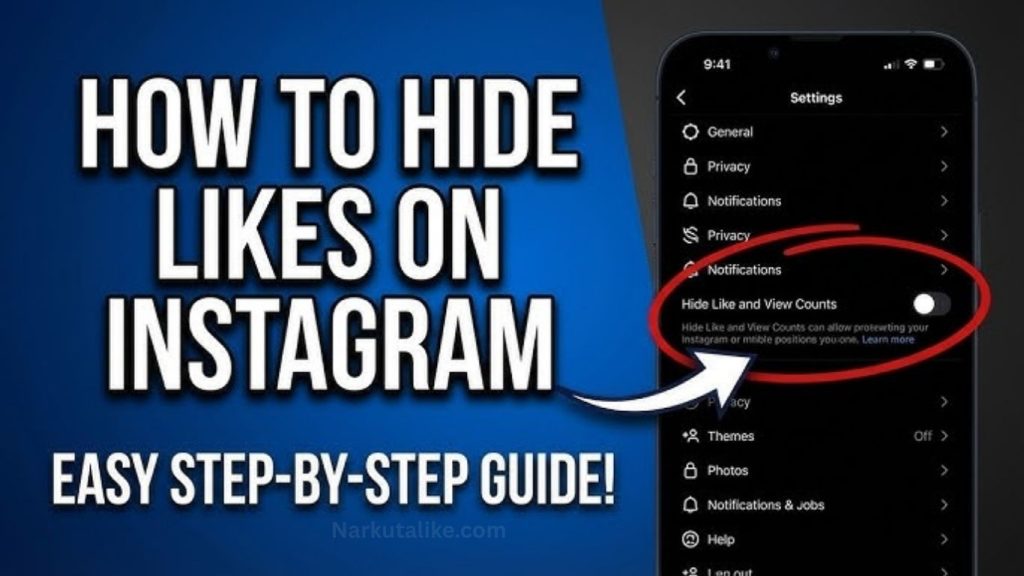
One of the most common reasons for missing likes is Instagram’s built-in hidden likes feature. The platform introduced this option to help reduce social pressure and encourage users to focus more on content rather than popularity. If you or another user has enabled this setting, the total number of likes will not be visible publicly. Instead, only a limited preview of people who liked the post will appear.
Temporary Instagram Bugs
Like any other mobile application, Instagram occasionally experiences software bugs. After major updates, users sometimes notice that likes, comments, stories, or notifications do not load correctly. These glitches are usually temporary and are fixed through future updates released by Instagram.
Instagram Server Problems
Sometimes the issue has nothing to do with your account or device. Instagram’s servers may experience temporary outages or maintenance periods that affect millions of users worldwide. During these times, likes, comments, messages, and other features may not work properly until the servers are fully restored.
Poor Internet Connection
A slow or unstable internet connection can prevent Instagram from loading the latest engagement data. If your Wi-Fi or mobile data connection is weak, the app may fail to display likes correctly. Refreshing the app after reconnecting to a stable network often resolves the issue.
Outdated Instagram App
Using an older version of Instagram can lead to compatibility problems. New features and bug fixes are regularly released, and outdated versions may not function properly. Updating the application ensures you have the latest improvements and security patches.
Corrupted Cache Files
Instagram stores temporary files, known as cache, to improve loading speed. Over time, these files may become corrupted, causing problems such as missing likes, delayed notifications, or app crashes. Clearing the cache allows the app to download fresh data from Instagram’s servers.
How to Fix Instagram Likes Not Showing
If your Instagram likes are not showing, there are several effective solutions you can try. Most users are able to resolve the issue by following these simple troubleshooting methods.
Refresh Your Instagram Feed
The first step is to refresh your Instagram feed by pulling down on the homepage. This forces the app to reload the latest information from Instagram’s servers. If the issue is caused by delayed synchronization, your likes may appear immediately after refreshing.
Restart the Instagram App
Closing Instagram completely and reopening it can solve many temporary software glitches. Ensure the app is removed from your recent applications before launching it again.
Check Your Internet Connection
Switch between Wi-Fi and mobile data to determine whether your network is causing the problem. Restarting your router or disabling VPN services can also help if your connection is unstable.
Update Instagram
Visit the Google Play Store or Apple App Store to check for available updates. Installing the latest version ensures that your app includes recent bug fixes and improved compatibility with Instagram’s servers.
Clear Instagram Cache
Android users can clear Instagram’s cache through their phone settings. This removes temporary files that may be interfering with normal app performance. iPhone users can achieve a similar result by uninstalling and reinstalling the application.
Log Out and Log Back In
Signing out of your Instagram account and logging back in refreshes your account session. This simple step often resolves synchronization problems affecting likes, comments, and notifications.
Restart Your Device
A simple device restart clears temporary memory issues that may interfere with Instagram’s functionality. After restarting your phone, reopen Instagram and check whether the likes have returned.
Reinstall Instagram
If none of the previous methods work, uninstall Instagram completely and download the latest version from your app store. A fresh installation removes corrupted files and restores the application’s default settings.
How to Check If Likes Are Hidden
Instagram allows users to control whether like counts are visible. Open Instagram Settings, go to the Privacy section, and then select Posts. Here you can check whether the option to hide like counts has been enabled. If it has, simply disable the setting to make likes visible again on supported posts.
Can Instagram Remove Likes?
Instagram does remove likes in certain situations, but it does not randomly delete genuine engagement. The platform regularly removes fake likes generated through bots, spam accounts, purchased engagement, or suspicious activity. This helps maintain authentic interactions across the platform and improves user trust.
Why Do Instagram Likes Suddenly Decrease?
Many users notice that their like counts suddenly drop. This usually happens because Instagram removes inactive accounts, fake profiles, or bots that previously interacted with your content. As a result, the total number of likes may decrease even though your content has not changed.
Why Can’t You See Likes on Other People’s Posts?
If you cannot view likes on someone else’s content, there may not be any issue with your account. The account owner may have enabled Instagram’s hidden likes feature, preventing public users from seeing the total engagement count. This is a privacy setting chosen by the content creator.
Do Business Accounts Experience This Issue?
Yes, business and creator accounts can also experience missing likes. However, these accounts still have access to Instagram Insights, which provides valuable engagement data such as reach, impressions, profile visits, and interactions. Even if public like counts are hidden, Insights usually continue tracking performance accurately.
Does Instagram’s Algorithm Affect Likes?
Instagram’s algorithm does not remove likes, but it influences how many users see your content. High-quality posts that receive strong engagement through comments, shares, saves, and watch time are more likely to appear in users’ feeds and the Explore page. Consistently posting original content and interacting with your audience can improve visibility and increase future likes.
Tips to Prevent Instagram Likes from Disappearing
Keeping your Instagram account healthy can reduce the chances of experiencing missing likes. Always update the app regularly, use a reliable internet connection, avoid third-party automation tools, clear your cache occasionally, and follow Instagram’s Community Guidelines. These simple habits help maintain stable app performance and authentic engagement.
When Should You Contact Instagram Support?
If your likes remain missing for several days despite trying every recommended solution, it may be time to contact Instagram Support. You should report the issue if it only affects your account, your app is fully updated, your internet connection is working correctly, and reinstalling the app has not solved the problem. Providing screenshots and a detailed explanation can help Instagram investigate more quickly.
Frequently Asked Questions
Why are my Instagram likes not showing?
Instagram likes may not appear because of hidden like settings, server issues, app bugs, poor internet connectivity, or an outdated version of the Instagram app.
Can Instagram automatically hide likes?
Instagram provides users with the option to hide like counts, but it does not automatically hide them for every account. Users can enable or disable this feature through their privacy settings.
Will updating Instagram fix missing likes?
Yes. Updating Instagram often resolves software bugs and compatibility issues that may prevent likes from displaying correctly.
Why can’t I see likes on someone else’s Instagram post?
The account owner may have chosen to hide public like counts using Instagram’s privacy feature. This setting prevents others from viewing the total number of likes.
Does Instagram remove fake likes?
Yes. Instagram regularly removes likes generated by bots, spam accounts, or purchased engagement to maintain authentic interactions on the platform.
Conclusion
Instagram Likes Not Showing issue is usually caused by hidden like settings, temporary bugs, server outages, outdated app versions, or internet connectivity problems. Fortunately, most of these issues can be resolved by refreshing the app, updating Instagram, clearing the cache, checking your privacy settings, or reinstalling the application. If the problem continues for an extended period, contacting Instagram Support is the best option. By keeping your app updated and following Instagram’s best practices, you can ensure a smoother experience and continue tracking your content’s performance effectively.