
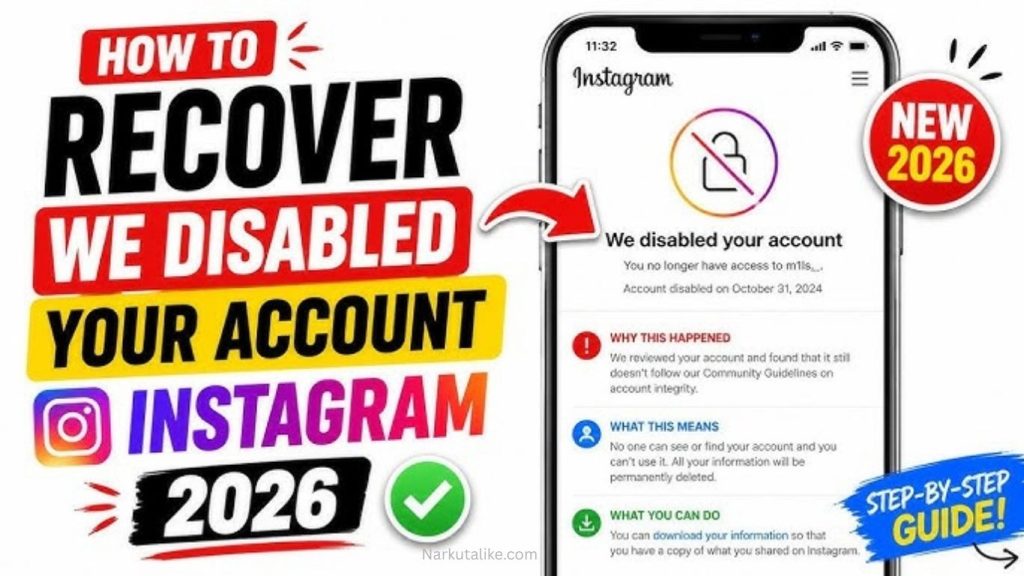
Instagram account disabled can be frustrating, especially if you use it for personal communication, content creation, business, or marketing. The good news is that in many cases, users can request a review if they believe Instagram disabled their account by mistake. In this guide, we explain how to fix a disabled Instagram account in 2026, why accounts are disabled, how to appeal the decision, what to do if your appeal is rejected, and how to prevent future restrictions.
Why Was My Instagram Account Disabled?
Instagram may disable an account when its systems detect activity or content that appears to violate its policies or terms. Common reasons include spam, excessive following or unfollowing, misleading behavior, impersonation, inappropriate content, copyright violations, harassment, fraudulent activity, or the use of unauthorized automation tools. Sometimes, however, an account can be disabled because of an automated mistake or suspicious activity that Instagram incorrectly identifies as a violation. Understanding the possible reason for the restriction is important because it helps you choose the right recovery method and avoid repeating the same problem after your account is restored.
Disabled Instagram Account vs. Temporary Restriction
A disabled account is different from a temporary Instagram restriction. When an account is disabled, you may be unable to log in and your profile may no longer be visible to other users. A temporary restriction usually allows you to access your account while limiting certain features, such as commenting, following, liking, messaging, or posting. If you can still access your profile but certain features are unavailable, check your account status before assuming that your entire account has been disabled. Identifying the exact type of restriction can help you take the correct recovery steps.
How to Fix a Disabled Instagram Account in 2026
The first step is to try logging into your Instagram account through the official Instagram application or website. Enter your normal username, email address, or phone number and password. If Instagram displays a message explaining that your account has been disabled, carefully read the instructions shown on the screen. If a review or appeal option appears, use it to request that Instagram reconsider the decision. Explain clearly that you believe your account was disabled incorrectly and provide accurate information requested by Instagram. Avoid submitting false information because inaccurate details can make the recovery process more difficult.
Submit an Instagram Account Appeal
If you believe your account was disabled by mistake, submitting an appeal is one of the most important recovery steps. Instagram may provide an appeal option directly when you attempt to log in. Complete the form carefully and make sure your username, email address, phone number, and other information are correct. Keep your explanation short, professional, and honest. You can explain that you are the legitimate owner of the account and believe the disabling action may have been an error. If Instagram asks you to verify your identity, complete the requested process rather than repeatedly submitting unrelated forms.
Complete Instagram Identity Verification
In some cases, Instagram may ask you to confirm your identity before reviewing or restoring your account. Depending on the situation, this could involve confirming your email address or phone number, submitting information requested by Instagram, or completing a selfie verification process. Follow the instructions provided inside Instagram and make sure the information you provide is genuine. Never send your password, login codes, or sensitive information to someone who contacts you privately and claims that they can recover your account.
Check Your Instagram Account Status
If you can still access Instagram, checking Account Status can help you understand whether your account has received restrictions or content-related actions. Account Status may show certain posts, comments, or activities that Instagram has identified as problematic. Reviewing this information can help you understand what caused the restriction and what actions may be available. If Instagram provides an option to request a review of a particular decision, consider using that option when you genuinely believe the decision was incorrect.
Remove Suspicious Third-Party Apps
Third-party applications can sometimes create security or account-management problems. If you have connected Instagram to follower-growth tools, automated engagement services, bots, analytics applications, or other services that you no longer trust, remove them where possible. Avoid using applications that promise unlimited followers, automatic likes, mass following, or guaranteed account recovery. These services can create unusual account activity and may increase the risk of restrictions. After recovering your account, keep your Instagram connected only to services you genuinely need and trust.
Secure Your Instagram Account
If you suspect that your account was hacked rather than disabled because of a policy violation, account security should become your priority. Check the email account associated with Instagram and make sure it is secure. Change your email password if necessary and enable two-factor authentication where available. Once you regain access to Instagram, create a strong and unique password and review your account’s login and security settings. Look for unfamiliar devices or activity and remove access that you do not recognize. Strong security can help prevent attackers from taking control of your account again.
What Should You Write in an Instagram Appeal?
Your Instagram appeal should be polite, simple, and truthful. Explain that you are the owner of the account and believe the account was disabled incorrectly. If you know exactly what caused the problem, address it honestly rather than attempting to hide the information. Avoid aggressive language, repeated messages, fake explanations, or exaggerated claims. A professional and straightforward appeal gives the review team the relevant information without unnecessary details. If Instagram asks specific questions during the appeal process, answer each question accurately and completely.
How Long Does Instagram Account Recovery Take?
There is no fixed recovery time for every disabled Instagram account. Some cases may be reviewed quickly, while others can take longer depending on the reason for the restriction, the verification process, and the information required. You should avoid submitting numerous identical appeals within a short period because repeated submissions do not guarantee faster results. Instead, monitor the email address associated with your account, check your Instagram login screen regularly, and follow any additional instructions provided by Instagram.
What If Instagram Rejects Your Appeal?
If Instagram rejects your appeal, do not immediately assume that there is no possible solution. Carefully read the notification and determine whether Instagram provides another review or appeal option. Some account or content decisions may have additional review procedures, depending on the circumstances. If no further option is available, avoid paying people who promise guaranteed recovery. Many scammers target users whose Instagram accounts have been disabled and claim to have special contacts inside Instagram. Legitimate recovery should be handled through official Instagram processes.
Can You Create a New Instagram Account?
Creating a new Instagram account may be possible in some situations, but it should not be considered a replacement for appealing a disabled account. If your original account was disabled because of a serious policy violation, simply creating another account and repeating the same behavior could result in additional restrictions. If you create a new account, make sure your activity follows Instagram’s rules. If your original account contains important photographs, followers, messages, or business information, attempting official recovery first is usually the better approach.
How to Prevent Instagram Account Disabling
Prevention is easier than recovery, so maintain normal and authentic activity after your account is restored. Avoid buying followers, likes, comments, or artificial engagement. Do not use bots or unauthorized automation programs to follow accounts, send messages, or interact with posts. Avoid posting content that violates Instagram’s policies and be careful when using copyrighted images, videos, music, and other material. Do not impersonate individuals or organizations, send large amounts of unsolicited messages, or participate in suspicious activities. Regularly review your account security settings and connected applications to keep your profile protected.
Common Reasons Instagram Accounts Get Disabled
Several types of behavior can increase the likelihood of an Instagram account being restricted or disabled. Spam-like activity is one common problem, particularly when an account performs large numbers of repetitive actions within a short period. Impersonation, fraudulent activity, misleading information, prohibited content, harassment, intellectual-property violations, and suspicious automated behavior can also cause problems. New accounts that immediately perform excessive actions may also trigger security systems. Using Instagram naturally and avoiding aggressive growth tactics can reduce the risk of account restrictions.
What to Do Immediately After Your Account Is Restored
Once your Instagram account is restored, do not immediately return to high-volume activity. Give the account some time to return to normal use and review your recent activity. Remove suspicious third-party connections, change your password if you have security concerns, and enable two-factor authentication. Avoid excessive following, unfollowing, liking, commenting, or messaging. If you believe a particular post or activity caused the original problem, avoid repeating it. Taking a cautious approach after recovery can reduce the possibility of another restriction.
Frequently Asked Questions
Can I Recover a Disabled Instagram Account in 2026?
Yes, some disabled Instagram accounts can be recovered, particularly when the account was disabled incorrectly or when Instagram determines that the account is eligible for restoration. The best approach is to follow the review instructions provided when you attempt to log in.
Why Did Instagram Disable My Account?
Instagram may disable accounts because of suspected violations involving spam, inappropriate content, impersonation, fraudulent behavior, copyright issues, automation, or other policy-related activity. Security systems can also sometimes mistakenly flag legitimate accounts.
How Do I Appeal a Disabled Instagram Account?
Try logging into Instagram and follow the review or appeal instructions displayed on the screen. Provide accurate account information and complete any identity verification requested during the process.
Can Someone Recover My Instagram Account for Money?
Be careful with anyone who promises guaranteed Instagram recovery for money. Scammers often target people with disabled or hacked accounts. Never provide your password, verification codes, or sensitive information to strangers claiming they can restore your profile.
What If My Instagram Appeal Is Denied?
If your appeal is denied, check whether Instagram provides another review or appeal option for your specific case. If no additional option is available, avoid submitting false information or using suspicious recovery services.
Conclusion
Disabled Instagram account can be stressful, but there are several legitimate steps you can take to try to recover it. Start by logging into Instagram, carefully reading the disabling notification, and submitting an appeal if the review option is available. Complete identity verification when requested, secure your email and account, remove suspicious third-party tools, and avoid services that promise guaranteed recovery. If your account is restored, follow Instagram’s rules and use the platform naturally to reduce the risk of another restriction. By taking the correct steps and remaining patient, you can give yourself the best possible chance of fixing a disabled Instagram account in 2026.