
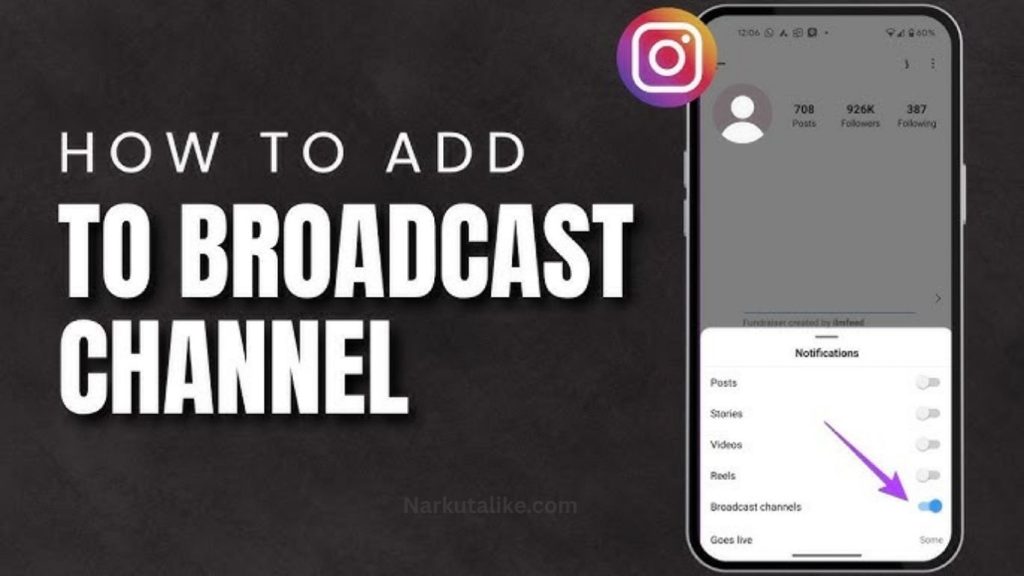
Broadcast Channels have transformed the way creators, businesses, influencers, and public figures communicate with their audiences. Instead of relying solely on traditional social media posts that may not reach every follower due to changing algorithms, Broadcast Channels offer a direct and organized way to deliver updates. This feature enables administrators to share announcements, photos, videos, voice notes, polls, and other content with subscribers in one dedicated space. Followers who join a Broadcast Channel receive timely notifications, making it easier to stay informed and engaged. As social media platforms continue focusing on community building, Broadcast Channels have become one of the most effective tools for strengthening relationships with loyal followers and increasing overall engagement.
What Are Broadcast Channels?
Broadcast Channels are one-to-many communication spaces where creators and organizations can share updates with a large audience. Unlike group chats, where every member can participate in conversations, Broadcast Channels are primarily controlled by administrators who publish content directly to subscribers. Followers can usually react to messages, answer polls, or participate in limited interactions without creating unnecessary chat clutter. This format allows important announcements to remain visible while providing a cleaner and more organized communication experience.
Why Broadcast Channels Are Becoming So Popular
The popularity of Broadcast Channels has grown because they solve one of the biggest challenges on social media: reaching followers consistently. Algorithms often limit the visibility of regular posts, causing many updates to go unnoticed. Broadcast Channels bypass much of this issue by sending notifications directly to subscribers. This increases engagement rates, encourages audience loyalty, and allows creators to communicate more personally with their communities. Businesses also benefit by sharing promotions, product launches, and customer updates without competing against crowded news feeds.
How Broadcast Channels Work
Using Broadcast Channels is relatively simple. Eligible users create a channel from their professional or creator account, choose a suitable name, write a brief description, and customize the channel with a profile image. Once the channel is ready, administrators can invite followers through stories, posts, profile links, QR codes, or direct invitations. Subscribers who join receive notifications whenever new content is published. Since only administrators typically post messages, followers enjoy a distraction-free experience while staying informed about the latest updates.
Main Features of Broadcast Channels
Broadcast Channels support a wide variety of content formats that make communication more engaging. Administrators can publish text announcements, share high-quality images, upload videos, record voice messages, create polls, and include links to external resources. These multiple content formats allow creators to keep their audience interested while delivering valuable information in different ways. Interactive polls also provide an easy method for collecting audience feedback, understanding customer preferences, and making better content decisions.
Benefits of Using Broadcast Channels
Broadcast Channels provide several advantages for both creators and businesses. One of the biggest benefits is improved communication because important updates reach subscribers immediately. Since followers voluntarily join these channels, they are generally more interested in the content being shared, resulting in higher engagement rates. Broadcast Channels also help build stronger communities by offering exclusive information that cannot always be found in regular posts. Businesses can strengthen customer trust through consistent communication, while creators can maintain closer relationships with their audiences by sharing behind-the-scenes updates, personal announcements, and early access to new content.
Broadcast Channels for Content Creators
Content creators have embraced Broadcast Channels because they offer a direct line of communication with their most dedicated followers. Instead of depending entirely on public posts, creators can notify subscribers whenever a new video, podcast, article, or livestream becomes available. Many creators also use Broadcast Channels to share exclusive behind-the-scenes moments, upcoming collaboration announcements, personal updates, and special content that rewards loyal supporters. This creates a stronger sense of community while encouraging more followers to join the channel.
How Businesses Use Broadcast Channels
Businesses are increasingly using Broadcast Channels to improve customer engagement and marketing efforts. Companies can announce product launches, promote limited-time discounts, introduce new services, and provide customer support updates directly through the channel. Broadcast Channels are also useful for sharing event reminders, webinar invitations, seasonal promotions, and loyalty rewards. Since subscribers receive notifications immediately, businesses often experience higher visibility and better customer interaction compared to traditional social media posts.
Best Practices for Managing a Broadcast Channel
A successful Broadcast Channel depends on consistently delivering valuable content. Administrators should focus on sharing useful information rather than constantly promoting products or services. Publishing updates on a regular schedule helps subscribers know when to expect new content, while maintaining a healthy balance between informative and promotional posts keeps engagement high. Using different content formats such as images, videos, voice notes, and polls makes the channel more interesting and encourages followers to stay active. Listening to audience feedback and responding through future updates also strengthens trust and long-term engagement.
Common Broadcast Channel Issues and Solutions
Although Broadcast Channels are easy to use, some users occasionally experience technical problems. One common issue is the inability to create a channel, which often occurs because the account does not meet eligibility requirements or the feature has not yet been released in that region. Notification problems may occur if app permissions are disabled or notification settings are turned off. Updating the application, checking internet connectivity, and reviewing account settings usually resolve most technical issues. In some cases, temporary platform outages may also affect Broadcast Channel functionality until service is restored.
Tips to Grow Your Broadcast Channel
Growing a Broadcast Channel requires continuous promotion and valuable content. Creators should regularly mention their channel in stories, social media posts, videos, email newsletters, and website pages to attract new subscribers. Offering exclusive updates, early announcements, special discounts, or behind-the-scenes content gives followers a compelling reason to join. Consistency also plays an important role, as subscribers are more likely to remain active when they receive meaningful updates on a predictable schedule. High-quality content combined with genuine audience interaction is the most effective strategy for long-term channel growth.
Broadcast Channels vs Traditional Group Chats
Although Broadcast Channels and group chats may appear similar, they serve very different purposes. Group chats are designed for open conversations where every member can send messages, making them ideal for small teams, families, or communities that require active discussions. Broadcast Channels, on the other hand, focus on one-way communication from administrators to subscribers. This structure keeps important announcements organized, prevents message overload, and allows followers to quickly find valuable information without scrolling through unrelated conversations.
Privacy and Security Considerations
Privacy remains an important aspect of Broadcast Channels. Administrators should avoid sharing confidential or sensitive information through public channels and regularly review privacy settings to ensure the channel remains secure. Enabling two-factor authentication, using strong passwords, and keeping the application updated help protect accounts from unauthorized access. Subscribers should also verify that they are joining official Broadcast Channels to avoid scams or fake accounts pretending to represent well-known creators or brands.
The Future of Broadcast Channels
Broadcast Channels are expected to become even more advanced as social media platforms continue expanding creator tools. Future improvements may include detailed audience analytics, scheduled messaging, AI-powered recommendations, better moderation systems, audience segmentation, monetization opportunities, and enhanced interactive features. As online communities continue to grow, Broadcast Channels will likely become one of the most valuable communication tools for creators, businesses, educators, and organizations seeking stronger relationships with their audiences.
Frequently Asked Questions
What are Broadcast Channels?
Broadcast Channels are one-to-many messaging spaces that allow creators, businesses, and organizations to send updates, announcements, photos, videos, voice notes, and polls directly to their followers in an organized way.
Who can create a Broadcast Channel?
Eligibility depends on the platform. Generally, creators, business accounts, public figures, and professional accounts can create Broadcast Channels if the feature is available in their region.
Can followers send messages in a Broadcast Channel?
In most Broadcast Channels, only administrators can post messages. Followers can usually react to updates, vote in polls, or participate through limited interactive features.
How do I join a Broadcast Channel?
You can join a Broadcast Channel by clicking an invitation link shared through a creator’s profile, story, post, or other promotional content. Once joined, you’ll receive notifications for new updates.
Why can’t I access or create a Broadcast Channel?
If you can’t access or create a Broadcast Channel, the feature may not be available in your region yet, your app may need an update, or your account may not meet the platform’s eligibility requirements.
Conclusion
Broadcast Channels have emerged as one of the most effective ways to communicate directly with followers in today’s digital landscape. They provide higher visibility than traditional posts, encourage stronger audience engagement, and create organized communication without the distractions commonly found in group chats. Whether you are a creator looking to grow your community, a business promoting products, or an organization sharing important updates, Broadcast Channels offer an efficient and professional solution. By consistently publishing valuable content, interacting with subscribers through polls and reactions, and promoting your channel across multiple platforms, you can build a loyal audience that remains connected with your brand for years to come.