
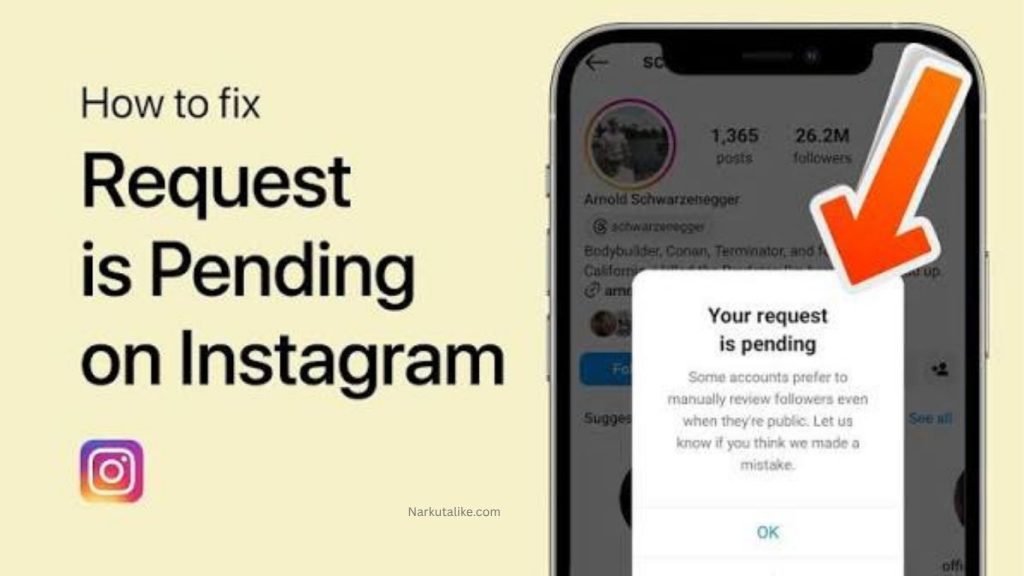
Instagram allows users to connect with friends, influencers, brands, and communities through follow requests, especially when an account is private. However, many users face problems where Instagram follow requests do not work properly. Sometimes the Follow button does not respond, the request disappears, or Instagram prevents users from sending new requests. These issues can happen because of account restrictions, technical problems, privacy settings, or Instagram’s security systems. Understanding the reasons behind this problem can help you quickly find the right solution and continue using Instagram without interruptions.
What Does Instagram Follow Request Not Working Mean?
When you try to follow a private Instagram account, you normally send a follow request that the account owner can approve or decline. If Instagram follow requests are not working, it means the platform is unable to process your request correctly. Users may experience problems such as the Follow button not changing, requests being automatically removed, error messages appearing, or the request failing to send. This problem can affect both personal and professional accounts and may prevent users from connecting with others.
Instagram Follow Limits Can Prevent New Requests
One of the most common reasons Instagram follow requests stop working is reaching Instagram’s activity limits. Instagram monitors user behavior to prevent spam and fake engagement. If you follow too many accounts within a short period, repeatedly follow and unfollow people, or perform too many actions quickly, Instagram may temporarily restrict your ability to send new follow requests. These limits are designed to protect the platform and usually disappear after some time if you reduce your activity.
Your Instagram Account May Have Temporary Restrictions
Instagram can place temporary restrictions on accounts that show unusual activity. This may happen if you use third-party follower tools, automation services, or perform suspicious actions. When an account receives a temporary restriction, certain features like following users, commenting, or liking posts may stop working. Checking your Instagram account status can help you understand whether your account has any limitations or warnings.
Instagram App Bugs and Technical Issues
Sometimes the problem is caused by the Instagram application itself rather than your account. An outdated app version, corrupted cache files, or temporary software bugs can prevent follow requests from working correctly. If the Follow button freezes or does not respond, updating the Instagram app or refreshing the application may solve the issue. Technical problems can occur after updates, so keeping the app updated is always recommended.
Poor Internet Connection Can Affect Follow Requests
A weak or unstable internet connection can also prevent Instagram from completing your follow request. When your device cannot properly connect with Instagram servers, actions may fail without displaying a clear reason. Switching between Wi-Fi and mobile data, restarting your router, or checking your network connection can help fix this problem.
The User May Have Removed or Rejected Your Request
If you previously sent a follow request and the person rejected or removed it, you may experience problems when trying again. Instagram gives users complete control over their private accounts, allowing them to accept, ignore, or delete requests. In some cases, you may need to wait before sending another request to the same account.
You May Have Been Blocked by the User
Another possible reason your Instagram follow request is not working is that the user has blocked your account. When someone blocks you, you cannot follow them, view their content, or interact with their profile. If the profile is unavailable, does not appear in search results, or the Follow button does not work, blocking may be the reason behind the issue.
Instagram Server Problems
Instagram occasionally experiences server outages or technical difficulties that affect different features of the platform. During these situations, users may have trouble sending follow requests, loading profiles, or using other Instagram features. If many people are reporting similar problems, the issue may be related to Instagram servers rather than your account.
How to Fix Instagram Follow Request Not Working
There are several ways to fix Instagram follow request problems. First, update your Instagram app to the latest version because older versions may contain bugs. Clearing the app cache on Android devices or reinstalling Instagram on iPhones can also remove damaged temporary files. Logging out of your account and signing in again can refresh your connection with Instagram servers. You should also check your Account Status section to see if Instagram has applied any restrictions. If you have been sending many requests, stop excessive activity for a while and allow Instagram’s temporary limits to expire.
Restart Your Device and Check Your Connection
Restarting your smartphone is a simple but effective solution for many app-related issues. A device restart can clear temporary errors that may affect Instagram performance. Also, make sure you have a stable internet connection before sending follow requests. A strong network helps Instagram process your actions properly and reduces the chances of failed requests.
Reinstall Instagram to Fix App Problems
If other solutions do not work, reinstalling Instagram can help fix deeper application problems. Delete the app from your device, restart your phone, download Instagram again, and log back into your account. This process removes outdated files and gives you a fresh installation that may solve follow request errors.
How Long Does an Instagram Follow Restriction Last?
The duration of an Instagram follow restriction depends on the reason it was applied. Some restrictions may disappear within a few hours, while others can last several days. The best way to avoid longer restrictions is to stop excessive activity, avoid automation tools, and use Instagram naturally. Maintaining normal engagement patterns can help protect your account from future limitations.
Can You Send Unlimited Follow Requests on Instagram?
Instagram does not allow unlimited follow activity because it wants to prevent spam and fake accounts. Sending a large number of follow requests in a short time can trigger security systems and temporarily block your actions. To keep your account safe, avoid rapid following, do not use third-party growth tools, and focus on genuine interactions with other users.
Why Can I Follow Some Accounts but Not Others?
If you can follow some Instagram accounts but cannot send requests to specific profiles, the issue may be related to those accounts. The user may have blocked you, removed your previous request, changed privacy settings, or limited who can follow them. This does not always mean there is a problem with your own Instagram account.
Frequently Asked Questions
Why is my Instagram follow request not sending?
Your Instagram follow request may not send because of account restrictions, app problems, internet issues, or Instagram’s activity limits.
How can I fix Instagram follow request problems?
You can fix the issue by updating Instagram, clearing cache, checking account status, restarting your device, and reducing excessive activity.
Why does my Instagram follow request disappear?
A follow request may disappear if the user rejects it, removes it, blocks you, or Instagram cancels it due to restrictions.
How long does Instagram temporary follow restriction last?
Most temporary restrictions last from a few hours to several days, depending on account activity and the reason for the restriction.
Can Instagram temporarily block me from following accounts?
Yes, Instagram can temporarily block follow actions if it detects unusual activity, such as sending too many requests quickly or using automated tools.
Conclusion
Instagram follow request problems can be frustrating, but they are usually caused by temporary restrictions, technical errors, internet issues, or privacy settings. By understanding the common reasons behind these problems and applying the right fixes, you can restore normal follow functionality. Updating the app, avoiding excessive activity, checking account status, and maintaining safe Instagram habits are the best ways to prevent future follow request issues.